
Add a tagline and highlights
One line under your school's name, and up to ten short highlights. They show at once.
Updated 2026-10-11For owners and managers
Before you start
- You are on your school page. Open Locations, press Edit on the location, then open the Presentation tab.
Steps
-
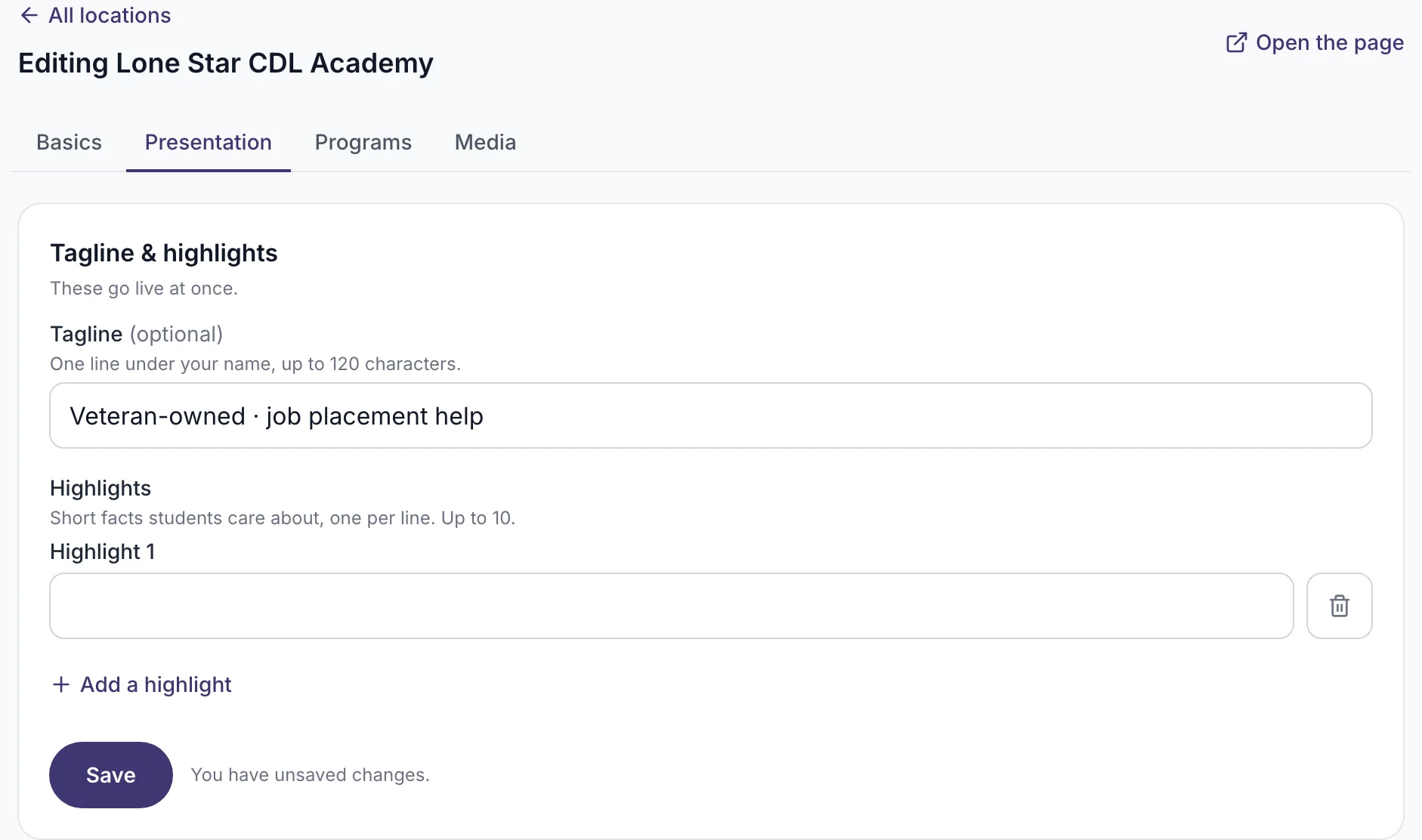
Write the tagline. It is one line, up to 120 characters, for example "Veteran-owned · job placement help".
-
Add highlights: short facts students care about, one per line. Up to 10.
-
Press Save.
What you will see
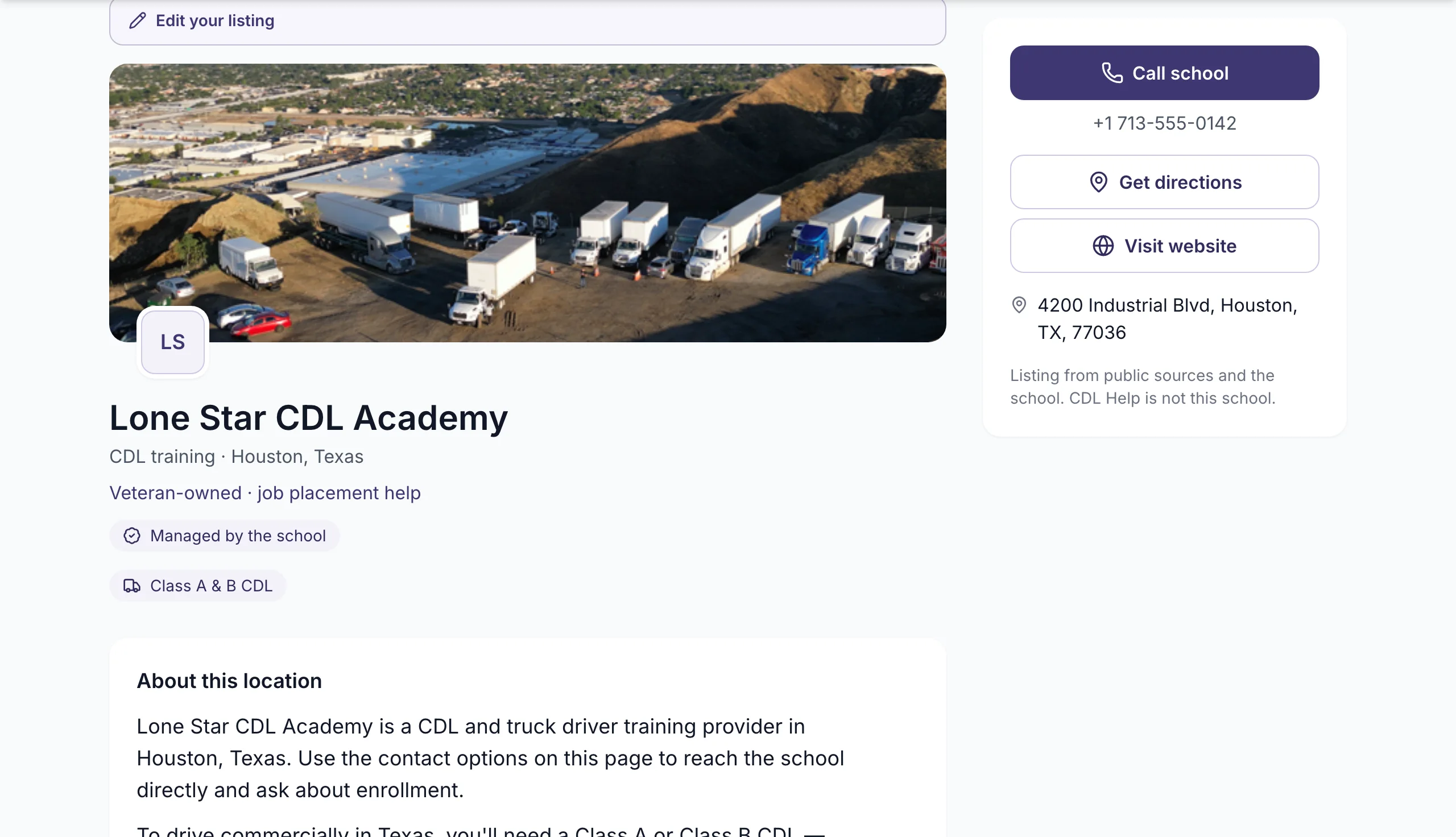
"Saved — live now." The tagline shows under your school's name on the listing and on the city page.
If it does not work
- The tagline is cut off. It is longer than 120 characters. Shorten it.
- It does not show on the public page. Reload the page. It can take a minute.
What happens next
Nothing to wait for. Change it any time.
Related
Was this helpful?
Still stuck? Write to us