
Add another campus or location
If the campus is already in the directory, claim it. If not, ask our team to add it. We create the page by hand.
Updated 2026-10-11For owners and managers
Before you start
- You are on your school page. Open Locations.
Steps
-
Press Add a location.
-
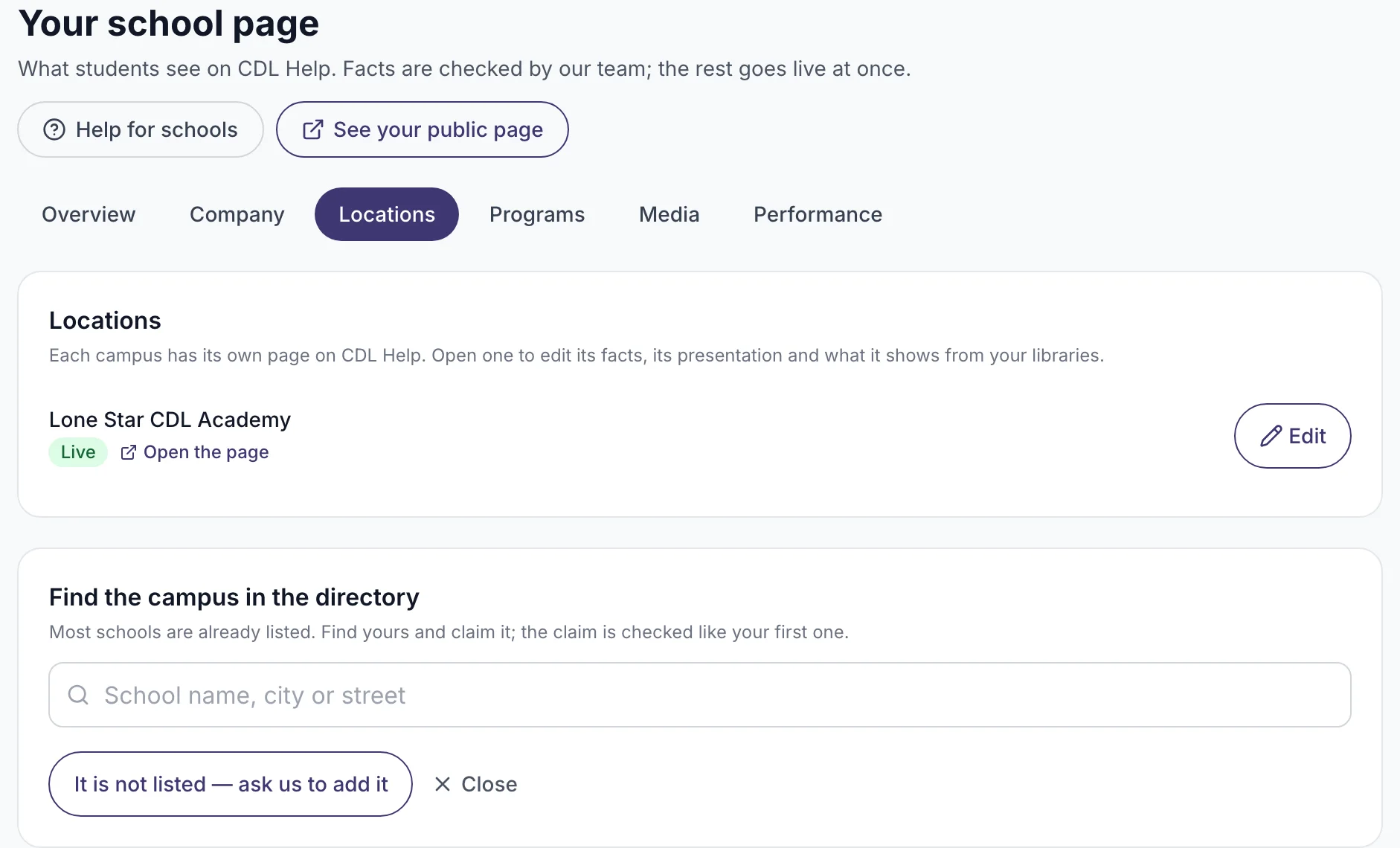
Search the directory for the campus. If it is there, press Claim this listing and follow the claim steps.
-
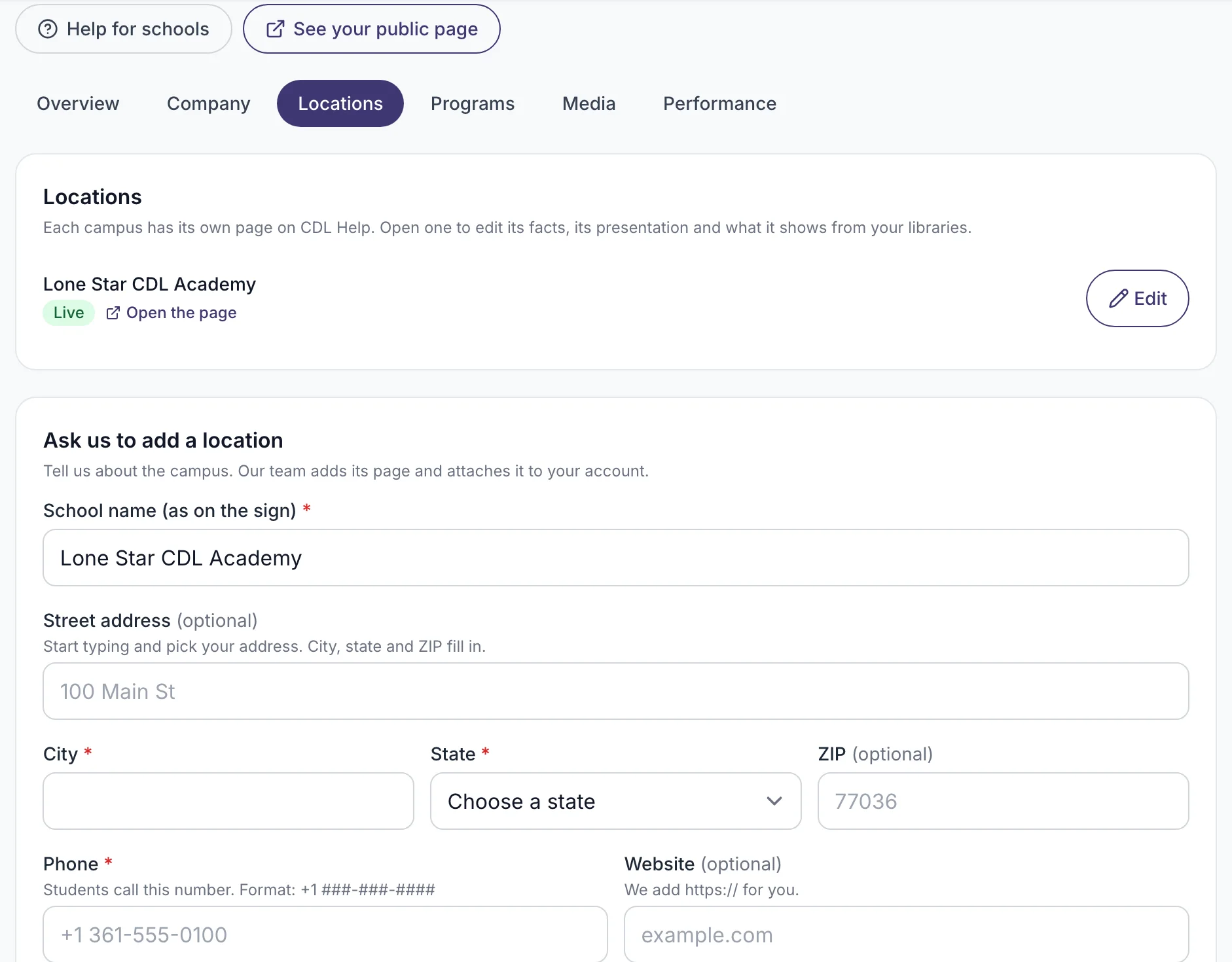
If it is not there, press It is not listed and fill in the request form: name, address, phone and website.
-
Press Send request.
What you will see
The campus in your Locations list with "Waiting for our team".
If it does not work
- You have 5 requests waiting. That is the limit. Wait for our team to decide on them.
- The campus is listed, but someone else manages it. Ask that person to add you to the team.
What happens next
Our team checks the request, usually within 2 business days, and creates the page. You get an email, and the campus appears in your Locations list, ready to edit.
Related
Was this helpful?
Still stuck? Write to us