
Claim your school's listing
Find your school in the directory, send a claim, prove you work there, and wait for our review. It is free.
Updated 2026-10-11For anyone
Claiming is how you get control of your school's page on CDL Help. It is free. The claim is also your sign-up: you do not need an account before you start.
Before you start
- You work at the school, or you run it.
- You can prove it in one of three ways. A code sent to the school's phone number, an email at the school's own domain, or a document such as a licence. See Prove you work at the school.
Steps
-
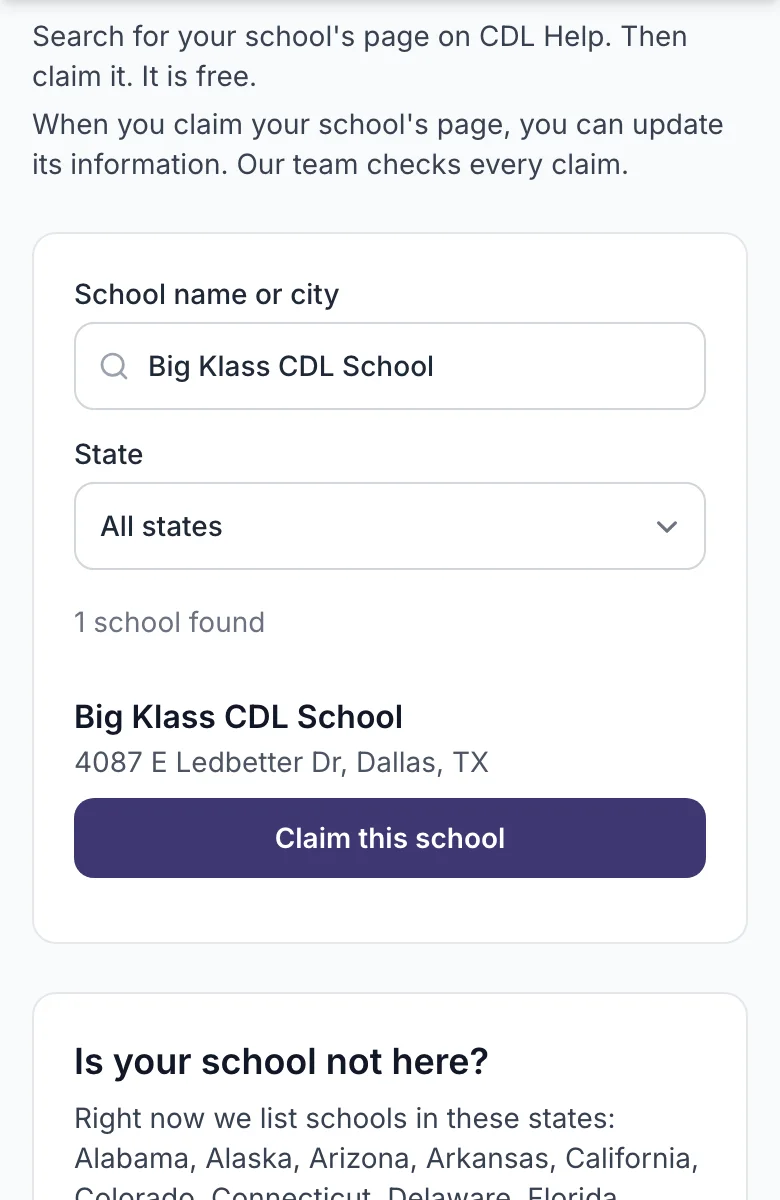
Open Find your school and type the school's name or city.
-
Find your school in the list and press Claim this school.
-
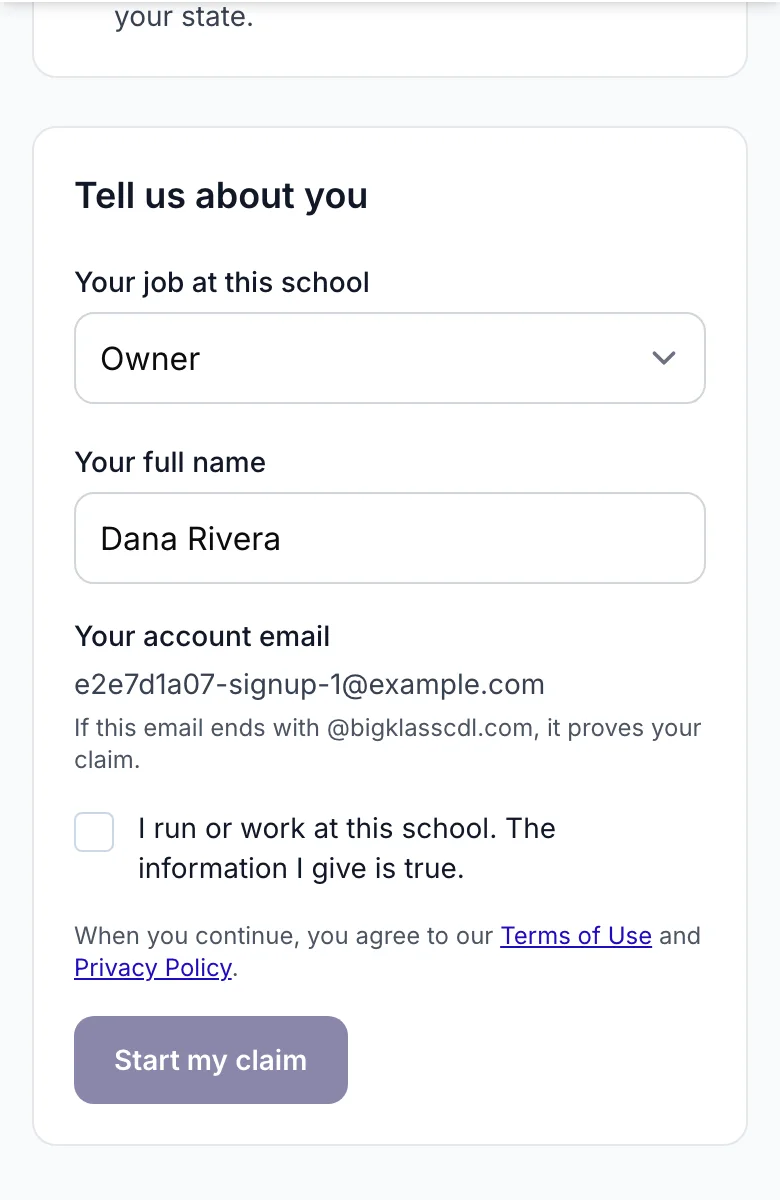
Fill in the short form: your name and your role at the school. Tick the box that says you work there. Press Start my claim.
-
If you are new, create your account: your email and a password. Check your email and press the link in it. Then sign in. You come back to your claim.
-
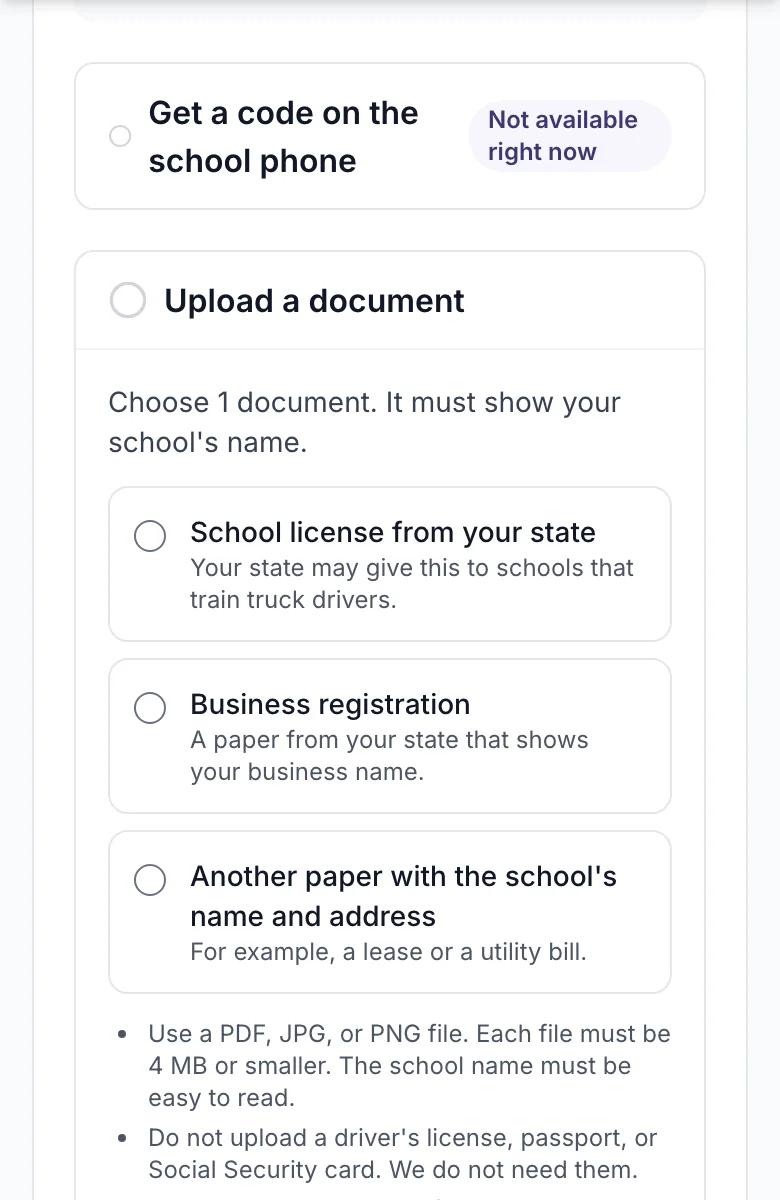
Prove you work there. The fastest way is the phone code: press Get a text or Get a call and type the code you receive.
-
If the phone does not work for you, choose a document type and add a photo or PDF of a licence or registration. You can also add a short note for our team.
-
Press I am done.
What you will see
A page that says your claim is with our team. You cannot change the listing yet. You will get an email that says we received your claim.
If it does not work
- The school is not in the list. Press Ask us to add my school under the list and fill in the form. We add it by hand.
- The listing says "Managed by the school". Someone at your school already manages it. Ask them to add you to the team, or write to us.
- You did not get the code. Wait 30 seconds and try again, or use the documents option. You can ask for a code 5 times.
What happens next
Our team checks the claim, usually within 2 business days. You get one of these emails:
-
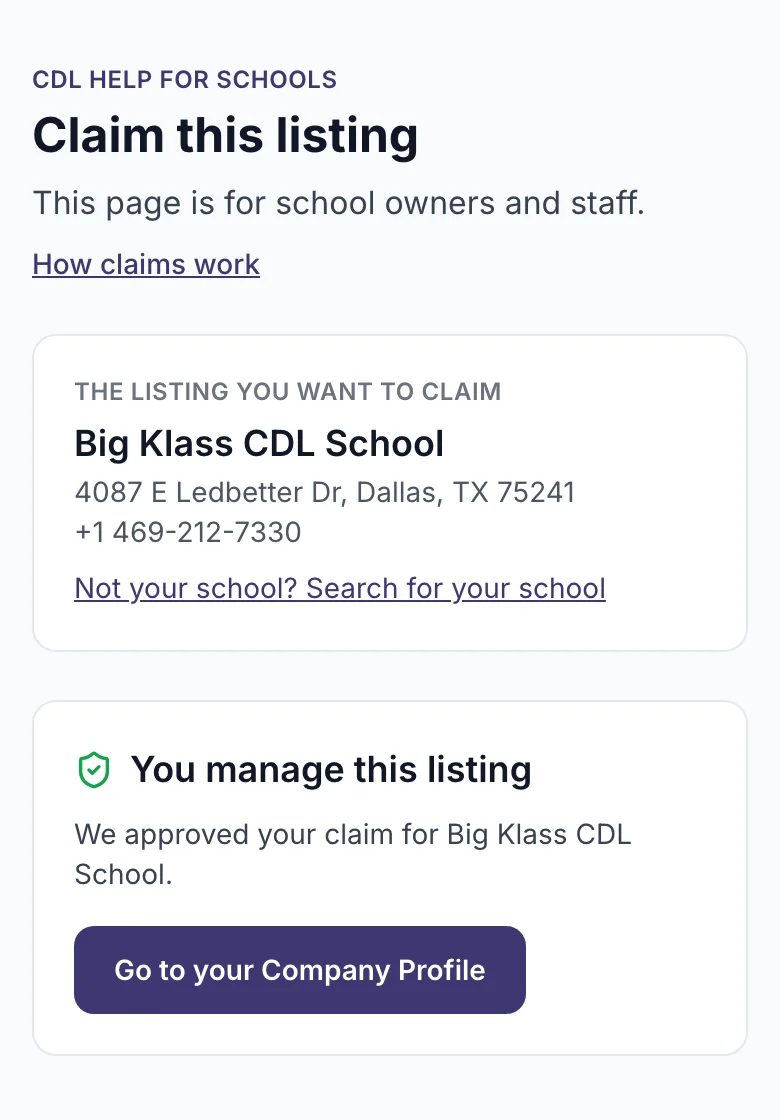
Approved. Press the button in the email, or sign in. You land on your school page and can edit it.
-
We need one more thing. The email says what to add. Open your claim and add it.
-
Not approved. The email says why. You can start a new claim with better proof.
Related
Still stuck? Write to us